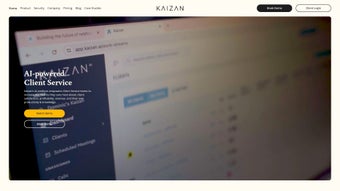

Download Kaizen – AI‑Powered Client Success Platform for Retention & Revenue Growth
Overview
Kaizen is a subscription‑based, browser‑first web application engineered specifically for Client Success teams that need to turn everyday conversations into measurable revenue outcomes. By leveraging cutting‑edge large‑language models and conversation‑intelligence technology, Kaizen automatically extracts actionable tasks, next‑step items, and risk signals from calls, emails, and chat logs. The platform then organizes this information into a structured work‑stream for each client, delivering concise summaries, sentiment scores, and topic insights—all displayed on a single, secure dashboard. This transformation of unstructured dialogue into a clear roadmap enables businesses to boost client retention, accelerate upsell opportunities, and keep revenue pipelines healthy without adding manual overhead.
Beyond the core AI engine, Kaizen ships with a consultative‑sales playbook that gives success managers a proven methodology for deepening relationships. While the core experience runs entirely in the browser, Kaizen currently does not provide a native mobile app or out‑of‑the‑box integrations with popular CRMs such as Salesforce or HubSpot. Teams that rely heavily on mobile access or require seamless CRM sync may need to implement custom API connections or workarounds. Despite these limitations, the AI‑driven automation, unbiased portfolio view, and strong security posture make Kaizen a compelling addition to any modern client‑centric organization that values data‑driven decision‑making and operational efficiency.
Key Features & Capabilities
- AI‑Powered Task Extraction: Real‑time parsing of voice, email, and chat transcripts to surface next steps, owners, and due dates.
- Sentiment & Risk Scoring: Automatic sentiment analysis that flags negative trends, churn risk, and upsell potential.
- Conversation Summaries: One‑click generation of concise meeting minutes, eliminating manual note‑taking.
- Portfolio Dashboard: Unbiased, visual overview of the entire client base, highlighting health metrics and growth opportunities.
- Consultative‑Sales Playbook: Embedded guide that trains success managers on discovery, objection handling, and value‑based selling.
- Secure Cloud Architecture: End‑to‑end encryption, role‑based access, and compliance with GDPR and SOC 2.
- Custom Work‑Stream Templates: Pre‑built and editable pipelines for onboarding, renewal, and expansion phases.
- Multi‑Language Support: Supports English, Spanish, French, and German for global teams.
Each feature is purpose‑built to reduce friction and keep the focus on what matters most—building stronger client relationships. The AI engine continuously learns from your organization’s unique language patterns, improving extraction accuracy over time. Because everything lives in the browser, updates are rolled out automatically, ensuring you always have the latest enhancements without manual patches. Moreover, the platform’s modular design allows you to enable or disable specific capabilities based on your team’s maturity, making Kaizen adaptable for both fast‑growing startups and established enterprises seeking to modernize their client‑success workflows.
From a security standpoint, Kaizen’s cloud infrastructure employs AES‑256 encryption at rest and TLS 1.3 in transit, safeguarding sensitive client data against unauthorized access. Role‑based permissions let administrators granularly control who can view, edit, or export data, ensuring compliance with internal policies and external regulations. Combined with the built‑in audit logs, you gain full visibility into data handling activities, a critical requirement for industries such as finance, healthcare, and SaaS where data governance is paramount.
Installation, Usage & Compatibility
Getting Started in Minutes
Kaizen is a pure‑SaaS solution, so there is no traditional “installation” required. Follow these steps to get up and running in under ten minutes:
- Create an Account: Visit kaizen.com/signup and enter your business email. Choose a subscription tier that matches your team size.
- Verify & Set Up: Confirm your email address, then log in to the admin console. Define user roles (Admin, Manager, Analyst) and configure SSO via SAML or OAuth if needed.
- Add Clients: Import client data via CSV or connect to a supported directory (Google Workspace, Azure AD). Each client automatically receives a dedicated work‑stream.
- Configure Work‑Stream Templates: Select from pre‑built onboarding, renewal, or expansion templates, or build a custom pipeline using the drag‑and‑drop editor.
- Integrate Communication Channels: Link your email (Gmail, Outlook) and conference‑call platforms (Zoom, Teams) using the provided API keys. Kaizen will begin listening for transcripts and metadata.
- Capture Conversations: During client calls, enable the Kaizen Chrome extension to capture audio streams or upload post‑meeting recordings. The AI engine processes the content within minutes.
- Review Summaries & Action Items: After processing, navigate to the client’s dashboard to see a concise summary, sentiment score, and a list of auto‑generated tasks.
- Close the Loop: Assign tasks to team members, set due dates, and track completion directly in Kaizen. Use the “Export” button to generate PDF reports for stakeholders.
System Requirements & Browser Compatibility
Kaizen is fully browser‑based and works on any modern operating system that supports Chrome, Edge, Firefox, or Safari. The platform is optimized for Windows 10/11, macOS 12+, and most Linux distributions. While there is currently no native mobile app, the responsive web design allows you to access the dashboard from any tablet or smartphone browser, albeit with limited functionality compared to the full desktop experience.
Because Kaizen runs entirely in the cloud, you never need to worry about patches, version control, or local storage constraints. All data is stored securely on encrypted servers, and you can export a full data dump at any time for backup or compliance audits. The system’s low‑latency architecture ensures that AI processing and dashboard updates occur in near‑real time, even on standard broadband connections, making it suitable for remote or distributed teams that require instant visibility into client health.
Pros & Cons
Pros
- Fully automated task extraction eliminates manual note‑taking.
- Sentiment analysis provides early warning signs for churn.
- Secure, GDPR‑compliant cloud hosting with AES‑256 encryption.
- Rich consultative‑sales resources help upskill teams.
- Multi‑language support expands global applicability.
- Continuous AI improvements without user intervention.
- Browser‑only delivery removes the need for local installations.
- Customizable work‑stream templates adapt to various client‑success stages.
Cons
- No dedicated iOS/Android mobile application.
- Lacks native integration with popular CRMs (Salesforce, HubSpot, etc.).
- Subscription pricing may be a barrier for very small teams.
- Initial setup of communication channel APIs can be technical for non‑IT users.
- Browser‑only interface may feel limited for power users who prefer desktop‑native experiences.
- Advanced customization (e.g., custom AI models) requires developer resources.
Frequently Asked Questions
How does Kaizen extract tasks from a conversation?
Kaizen uses a proprietary large‑language model that parses the transcript for verbs, nouns, and context cues. It then maps identified actions to a predefined taxonomy (e.g., “schedule demo,” “send contract”) and assigns owners based on speaker identification.
Is my client data safe on Kaizen’s cloud?
Yes. All data is encrypted at rest and in transit using AES‑256 and TLS 1.3. Kaizen complies with GDPR, SOC 2, and offers role‑based access controls to ensure only authorized personnel can view sensitive information.
Can I export the AI‑generated summaries?
Absolutely. Each client work‑stream includes an “Export” button that creates PDF, CSV, or JSON files. This makes it easy to share insights with executives or import data into other reporting tools.
What happens if I need to integrate Kaizen with my existing CRM?
While native CRM connectors are not yet available, Kaizen offers a RESTful API and webhook system that lets developers push tasks and sentiment scores into any CRM of choice. The development effort is typically a few days for a standard integration.
Is there a free trial or a free tier?
Kaizen provides a 14‑day free trial with full feature access. After the trial, you can choose from tiered subscription plans based on the number of active users and required storage.
Final Verdict & Call to Action
Kaizen stands out as a purpose‑built AI companion for client‑success professionals. Its ability to transform noisy conversations into clear, actionable roadmaps can dramatically reduce the time spent on administrative tasks and free up more bandwidth for strategic relationship building. While the lack of a native mobile app and direct CRM sync are notable gaps, the platform’s security, sentiment analytics, and consultative‑sales resources outweigh these shortcomings for most mid‑size to enterprise teams.
If you’re looking to boost retention, surface hidden upsell opportunities, and give your success managers a data‑driven playbook, Kaizen is worth a serious look. Start your free trial today, experience the AI‑powered workflow, and see measurable improvements in client health scores within weeks.
Download Kaizen now and unlock the future of client success.






